Holiday Crossword
Holiday Crossword is the perfect bridge bringing players into a joyful festive world. The game revolves around familiar themes of the holiday season. Including:
- Traditional dishes.
- Famous tourist cities.
- Celebration activities.
- Unique gift ideas.
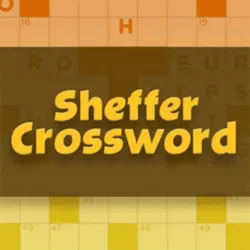
Right upon entering the game, you are welcomed by a minimalist yet sophisticated interface. The screen is divided into two distinct areas. On the left is the crossword grid with interwoven blank boxes. They form horizontal rows and vertical columns. On the right is the list of clue questions. They are specifically divided into two groups: Across and Down. Choose a question, read carefully, and then fill the appropriate answer into the corresponding box. Complete the finished letter picture and achieve absolute victory.
SMOOTH GAMEPLAY
Here, players will use the mouse to navigate puzzle-solving activities. You just need to left-click on any blank box on the crossword grid on the left. When a box is selected, the corresponding row or column is highlighted. At the same time, the related clue in the right list is automatically highlighted too. Conversely, you can also click directly on a question in the right-hand clue list. The game will immediately locate and bring the cursor to the correct row or column on the crossword grid. After choosing the position, you simply type the answer using the physical computer keyboard. You can use arrow keys to move quickly between boxes. The backspace or delete key is to erase wrongly typed letters. The tab key to switch quickly to the next word.
Main points
- The question and answer database is extremely rich.
- Question themes are diverse in geography, cuisine, festivals, and unique customs of many countries.
- Holiday Crossword does not provide assistance like letter hint buttons or auto-fill words.
- The game encourages performing external information searches independently to find answers.
Getting started
- Tap on the box to determine the vertical column or horizontal row to decode.
- Read the question on the right side of the screen and find the answer.
- Type letters on the physical keyboard to fill the answer into the row.
Gaming advice
- Start with short and easy words first.
- Maximize the intersecting points between rows and columns.
- Pay attention to the number of blank boxes for the word to fill.
- Temporarily skip overly difficult questions to move to other areas on the grid.
ADDITIONAL OPTIONS