Patches
HOW DO YOU DRAW EACH PATCH?
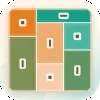
Patches divides a square grid into rectangles that must cover every cell. Drag from one corner of a proposed rectangle to the opposite corner to create a patch. Its outline appears orange when the placement fits and red when it does not. Drag across an existing patch to lift it, or tap a patch to remove it.
In Patches, each cell belongs to exactly one rectangle and every rectangle must contain exactly one clue. A solved board has one answer that can be reached through deduction.
Each Clue Sets a Rectangle
A square clue requires a square patch. A wide clue must sit inside a rectangle wider than it is tall, while a tall clue needs a rectangle taller than it is wide. When a clue includes a number, its patch must cover exactly that many cells. Clues without numbers can use any size that follows their shape condition.
Start with clues that have fewer possible placements, such as those in corners and along edges. Prime-numbered clues can only form one-cell-wide strips, while a cell reachable by only one clue must belong to that rectangle.
DAILY BOARD SIZES AND DIFFICULTY
Patches uses a daily 6x6 board that becomes harder from Monday through Friday. Saturday changes to a 7x7 grid, and Sunday uses an 8x8 board. Unlimited mode provides boards from 5x5 to 8x8 in three difficulty levels.
Easy boards show every patch size and focus on clues with one possible placement. Medium boards hide more sizes and require comparing the cells different clues can reach. Hard boards hide most sizes and may require testing a possible patch.
Follow Forced Cells First
Hints first identify a patch that is already incorrect. Otherwise, they show the next placement and explain the deduction behind it. Trace the required rectangles in Patches until every clue has its own patch.
YOU MIGHT LIKE